MetaTrader 5 Android Trading App
MetaTrader 5 for Android gives Avora Markets traders mobile access to available Forex and CFD markets from compatible Android smartphones and tablets. The MT5 Android app lets you monitor prices, analyse charts, review positions and manage trades while away from your desktop.
The mobile platform is designed for traders who want convenient access to their trading account during the day.
For a broader explanation of the platform, read How MetaTrader 5 Works.
Download MetaTrader 5 for Android
Start Trading from Your Android Device
Download the MetaTrader 5 Android application and connect it to your Avora Markets trading account.
Download MT5 for Android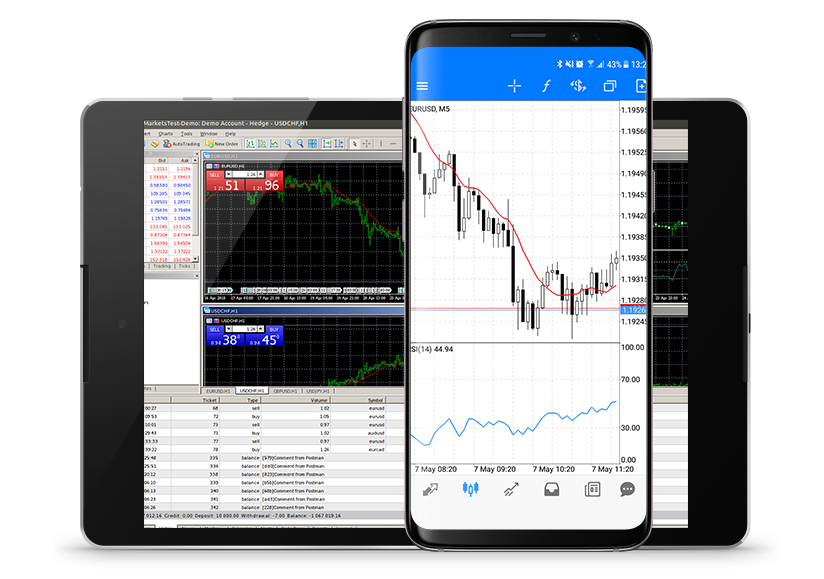
How to Get Started
Connect the official MetaTrader 5 Android app to your Avora Markets trading account in a few steps.
Download MT5 for Android
Use the official MT5 Android download option.
Install the application
Install MetaTrader 5 on your compatible Android smartphone or tablet.
Find the Avora Markets server
Search for the relevant trading server inside the MT5 application.
Log in
Enter your Avora Markets trading account credentials.
Monitor and manage your trades
Access available markets, analyse charts and manage positions through the mobile interface.
Features of MetaTrader 5 Android
Monitor prices, analyse charts and manage positions from a compatible Android smartphone or tablet.
Interactive Mobile Charts
Analyse price movements using charts designed for mobile screens. You can switch between available timeframes and monitor price action directly from your device.
Market Monitoring
Keep track of available Forex and CFD instruments from your Android device. Market monitoring can help you stay informed when you are away from your computer.
Trade Management
Review open positions and manage available trades through the MT5 mobile interface.
Technical Analysis
MT5 Android provides charting and technical-analysis functionality that traders can use to study market movements.
Trade History
Review previous trading activity and account information through the mobile application.
Convenient Mobile Access
The Android application lets traders access their MT5 account without remaining at a desktop workstation.
What Can You Trade Through MT5 Android?
The markets available on MT5 depend on the broker, account and applicable trading conditions. Avora Markets supports access to multiple markets through its MT5 environment.
Other supported instruments
Availability depends on the broker, account and applicable trading conditions.
Learn moreAndroid vs Desktop MT5
Use desktop for a larger analysis workspace and Android when you need mobile access to the same Avora Markets account.
| Feature | MT5 Android | MT5 Desktop |
|---|---|---|
| Mobile access | — | |
| Desktop workspace | — | |
| Interactive charts | ||
| Market monitoring | ||
| Position management | ||
| Large-screen analysis | — | |
| Expert Advisors | Limited mobile functionality | |
| Trading on the go | — |
MT5 Android and the Avora Markets Trading Environment
MetaTrader 5 is the technology traders use to analyse markets and manage trades. The broker provides the trading account, available instruments, pricing and execution environment. This distinction is important when evaluating an MT5 broker.
Learn more about the broker side of MT5 through Avora Markets MT5 Forex Broker.
Avora Markets MT5 Forex BrokerReady to trade from your Android device?
Download MetaTrader 5 for Android and connect it to your Avora Markets trading account.
Frequently Asked Questions
Direct answers about MetaTrader 5 for Android, downloads, and mobile trading.